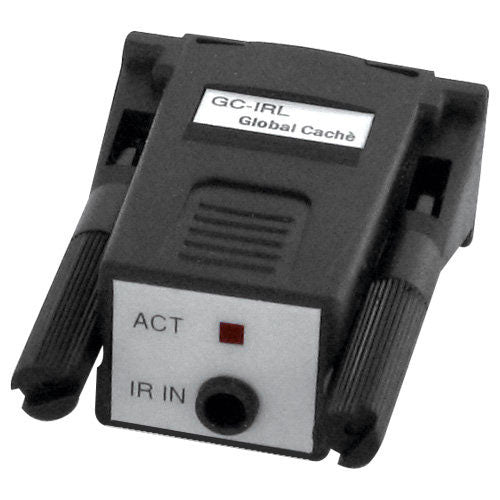
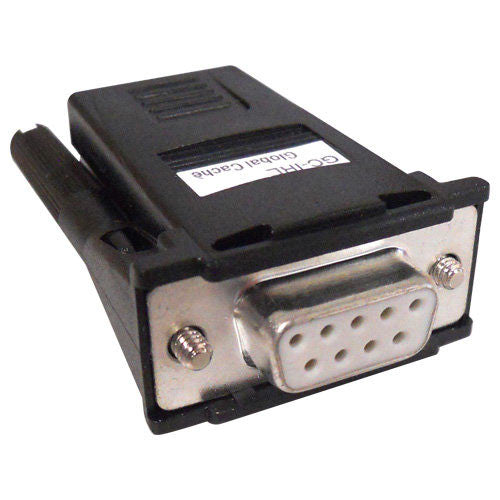
Global Caché IR Learner
GCIRL
Global Caché's IR Learner is a must-have tool for every dealer, installer and home automation enthusiast.
Price: $99.95

Quantity:
Add to Wishlist

GLOBAL CACHÉ INFRARED LEARNER

CONNECT YOUR SYSTEMS TO ANY PC AND THE INTERNET

Global Caché's GCIRL IR Learner is a must-have tool for every dealer, installer, and home automation enthusiast. The compact GCIRL is used with a PC to learn the full spectrum, 30KHz to 500KHz, of IR codes that control infrared driven equipment. When used in conjunction with the free GCIRL Utility the learned code is displayed, converted into other formats, and automatically copied into the Windows clipboard, which can then be pasted into any Windows application to facilitate quick database and/or spreadsheet creation and updating. The stored codes can be used to control and automate any device that accepts infrared control signals, from any networked computer, and over the Internet. The GCIRL power is supplied by the RTS line of the serial port and requires no external power supply.


INNOVATIVE TECHNOLOGY FROM GLOBAL CACHÉ

Global Caché is leading the way in automation with the industry's first hardware solution aimed at connecting a network to the devices that we interact with everyday.

Based upon open systems and standards, Global Caché's products deliver choices, are cost effective, and are helping to change the face of automation and control.


The Global Caché IR Learner comes with the necessary software on CD.

  • GC-IRL IR Learner Utility (version 2.0) - This is the companion application which is included on the CD shipped with GC-IRL products. This utility allows for the capture of IR commands and conversion to GC-100 and CCF formats. This program requires the Microsoft .NET Framework Version 1.1. If Microsoft .NET is not installed on your computer, you will be prompted to install it while installing the GC-IRL IR Learner Utility. Click here for easy download!


  • Microsoft .Net Framework Version 1.1 is required to run some Global Caché applications. Download the .zip file, open it, and run the program dotnetfx.exe to install. Click here to begin!

  • Red Arrow Ratings and Reviews
    Be the first to rate this product!
    Users must be registered & logged in to rate/review a product.


    © Copyright 2010, Home Controls Inc. All Rights Reserved


    Powered by San Diego Media MaxEXP