






Yale/Linxura Security and Automation Startup Kit with Linxura Wall Mount
Ships today if ordered before 3:00 pm pacific time.
YAYALLINXMT
$424.29
Enjoy An Exclusive Smart Home Kit with Yale and Linxura
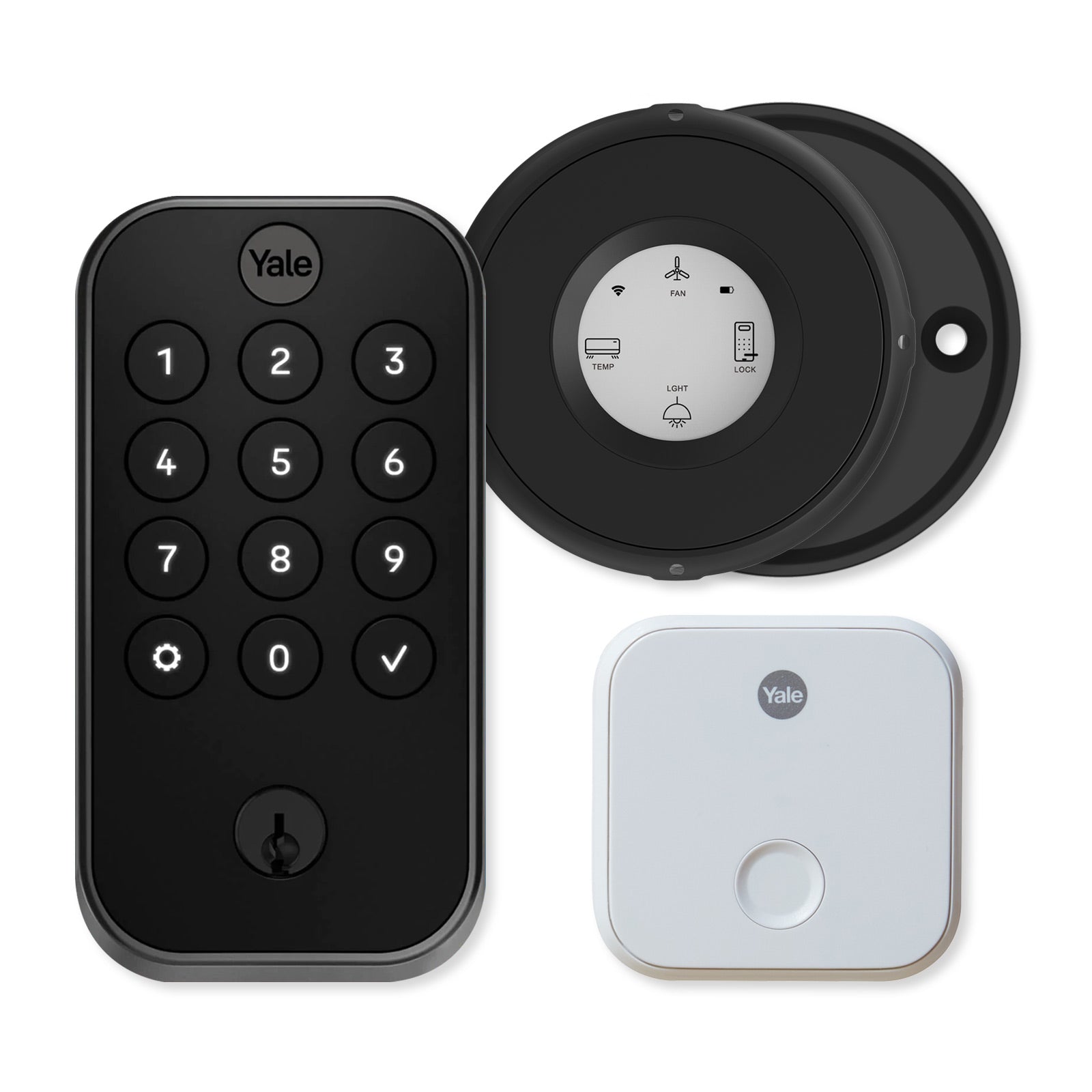
Add an extra controller and smart lock to your smart home or build a new smart ecosystem with the Home Controls exclusive Yale/Linxura Security and Automation Startup Kit with Linxura Wall Mount. This smart home and security kit includes the Linxura Smart Controller, Linxura Smart Controller Wall Mount, and a Yale Pro 2 Keyed Pushbutton Keypad Lock, Bluetooth with a Wi-Fi Connect Bridge.
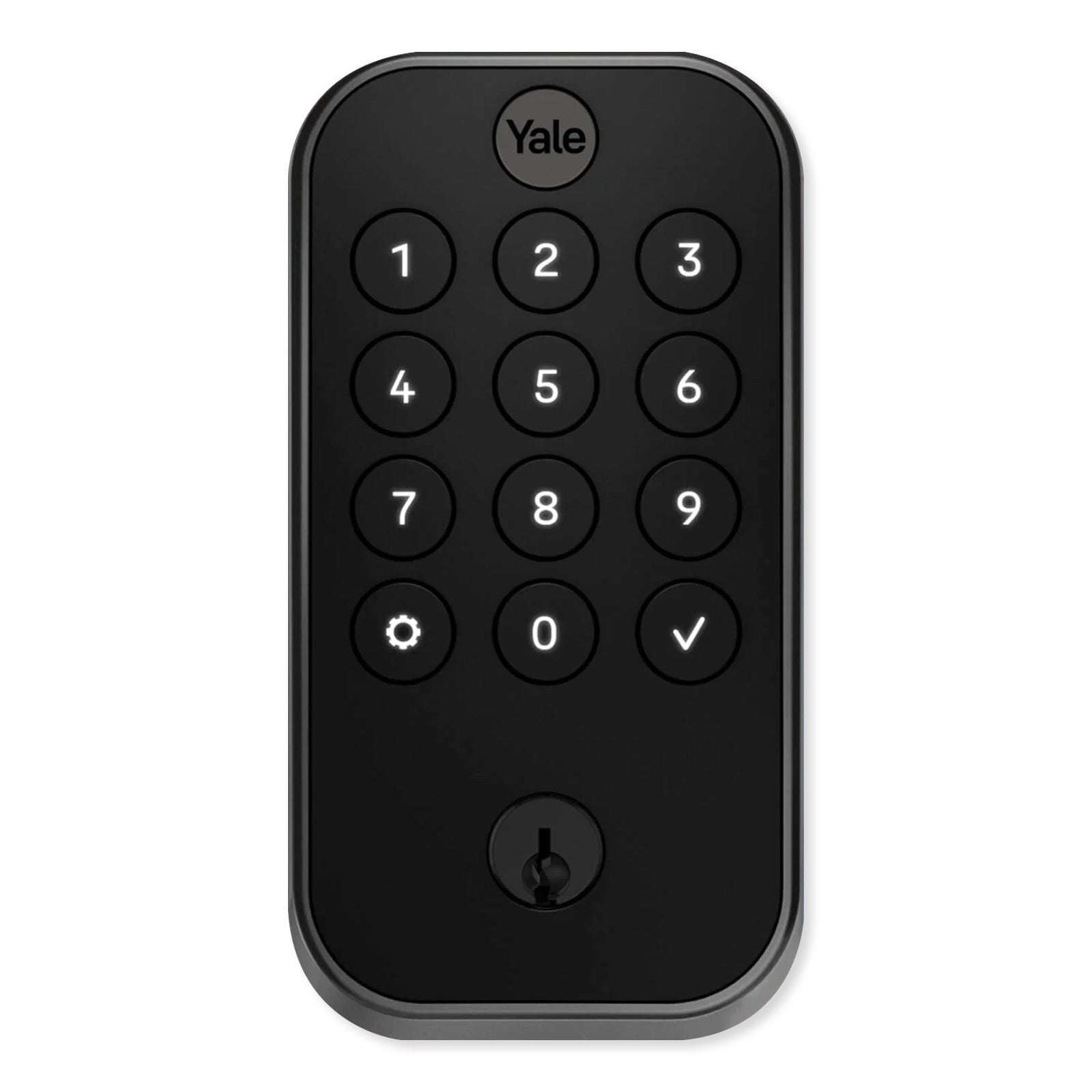
The Yale Pro 2 Keyed Pushbutton Keypad Lock, Bluetooth with Wi-Fi Connect Bridge. This Bluetooth smart lock replaces your existing lock and deadbolt to provide 4 ways to access your door: entering passcode into the pushbutton keypad, Auto Unlock & Auto Lock via proximity detection, using a standard turnkey, or remotely accessing the lock through the Yale Access app when within Bluetooth range. With the included Wi-Fi Connect Bridge, the lock can be remotely managed through the Yale Access App.
The Linxura Smart Controller features a small portable design with an intuitive click wheel interface to command Wi-Fi and Bluetooth smart devices throughout your home or business. It acts as an additional controller for existing Wi-Fi connected smart home networks and it can also control standalone Wi-Fi or Bluetooth compatible devices, no smart hub required. The Smart Controller is fully customizable; allowing you to choose devices to pair to the Controller and select which control inputs to activate/deactivate them from the free Linxura mobile app for iOS or Android.







- Yale Pro 2 Bluetooth smart lock with pushbutton keypad offers 4 ways to unlock your front door: 4-8 digit passcode, remote access through the Yale Access app, Auto-Unlock via proximity, and turnkey
- Yale Pro 2 Lock is IPX5 Coast Rated and Fire Rated for up to 90 minutes
- Yale Connect Wi-Fi Bridge connects Bluetooth Yale Locks to the Internet via Wi-Fi
- Included DoorSense Sensor reports lock and door status
- Wi-Fi and Bluetooth compatible Linxura Smart Controller commands up to 52 smart devices including lights, switches, thermostats, speakers, and more, no smart hub required
- Linxura Smart Controller's Bluetooth mode allows for control over media players and speakers within nearby proximity
- 1.54" e-paper screen displays up to 4 devices at a time; customize inputs based on paired devices: single click, double-click, press and hold, or click and rotate
- Magnetic wall mount for the Linxura Smart Controller holds the Smart Controller for wall mounted operation or when not in use
- Both devices work with Amazon Alexa, Google Home, IFTTT, and Samsung SmartThings networks, along with other smart home and security brands and devices
Utilize 4 Ways to Access Your Yale Pro 2 Keyed Keypad Lock
The Yale Pro 2 Lock Offers 4 Ways To Access Your Door
- A push button keypad to create, use, and share up to 500 4-8 digit codes to unlock the door. Schedule when codes are valid, from certain days of the week or windows of time on a given day, for greater access control over your building. All codes are saved on the Yale Access app.
- Hands-free operation through smart Auto-Unlock and Auto-Lock features. When your paired mobile device enters Bluetooth proximity range of the Yale Pro 2 Lock, the lock will automatically unlock for easy entry and relock itself once your mobile device leaves Bluetooth range or after a set period of time.
- Remote lock/unlock through the Yale Access app. When the Yale Pro 2 Lock is connected to a smartphone via the Internet, users can remotely check and change the lock's status at any time.
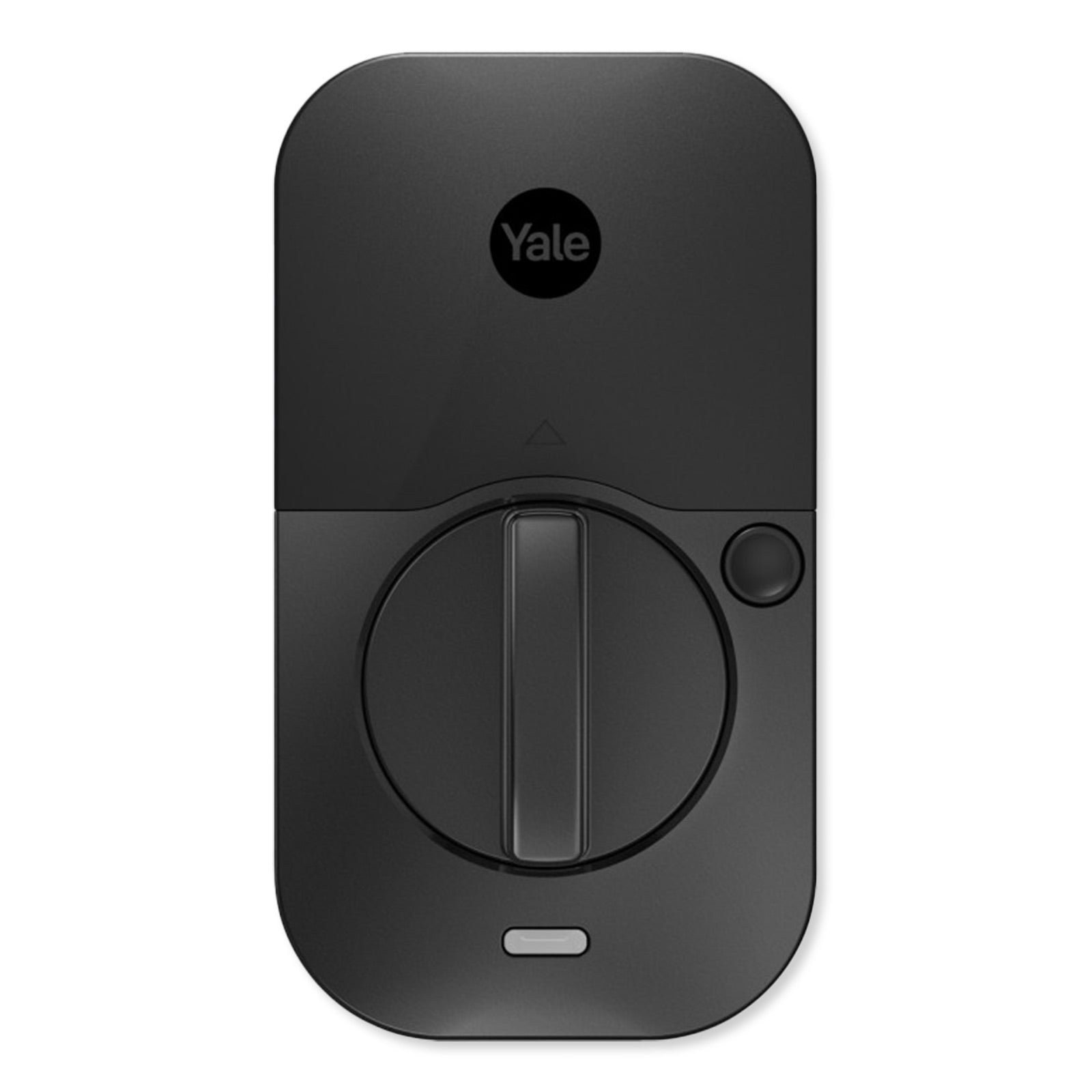
- A traditional turnkey and keyhole to lock/unlock your door from the outside and a thumb turn latch for indoor operation. When the Yale Pro 2 Lock's battery dies, the turnkey will still unlock/lock your door.
Yale Connect Wi-Fi Bridge
Included with this Bluetooth smart lock is the Yale Connect Wi-Fi Bridge. The Yale Connect Wi-Fi Bridge is a plug-in Bluetooth to Wi-Fi bridge module that connects nearby Yale Bluetooth locks to your Internet network via Wi-Fi connection. This module allows you to monitor and control the connected Bluetooth lock from the Yale Access app outside of Bluetooth range without requiring a Yale Smart Module for each lock. Once setup and connected, the Wi-Fi Bridge maintains the Bluetooth connection with your nearby Yale locks, from your Smart Deadbolt to your Cabinet Lock. The Connect Wi-Fi Bridge also permits voice commands via Amazon Alexa, Google Assistant, or Apple Siri on your compatible mobile device.
Linxura Smart Controller
The Linxura Smart Controller's click wheel interface is similar to the original iPod control interface, 4 click buttons and rotating wheel to cycle through options or raise/lower light levels, volume, or window coverings. Instead of a center pushbutton, there is a 1.52 inch e-paper screen that displays icons of connected devices, the Smart Controller's Wi-Fi connectivity, and battery life. When a device is paired with Smart Controller, you select a corresponding icon to designate what the button controls when used. Up to 4 smart devices, or groups of smart devices, are displayed on the Smart Controller's e-paper screen at a time, and up to 52 devices can be connected to one or more Linxura Smart Controllers.
- Single and double click to turn On/Off devices, groups of devices or smart scenes
- Press and hold to manually raise or lower change curtain positions, or activate/deactivate
- Click and rotate to raise or lower light levels of smart bulbs or volume levels of connected smart speakers
Linxura App
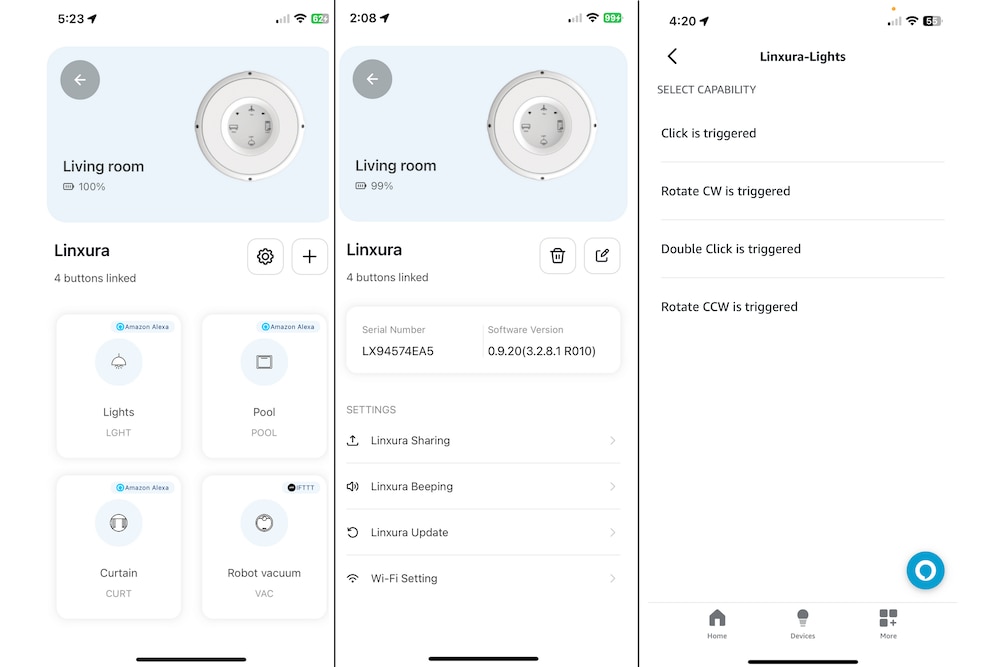
Configure one or more Linxura Smart Controllers from the Linxura app for iOS and Android. The Linxura app enables you to easily configure your Linxura Smart Controllers to better control individual or groups of devices within your smart home. Each Linxura network can integrate and support up to 52 devices, groups of devices or pre-programmed routines; unpaired devices are saved within the app's memory to avoid reconnection issues. From the app you can customize the input methods for each connected device, groups, or routines. For example, program smart lights to turn on with one push, activate a "Cozy Lighting routine" with two pushes, and dim/brighten with a push and rotation of the click wheel. Programmed inputs are saved within the app and can be easily copied to other Linxura Smart Controllers.
Receive real-time notifications of changes in device status, triggered routines or alerts, or network issues. A "Find My Controller" feature helps you to locate a Linxura you can't easily spot. Guest accounts can be created to share control of your Linxura Smart Controllers with family members, roommates, or coworkers.
Unlock with Yale Access Mobile App
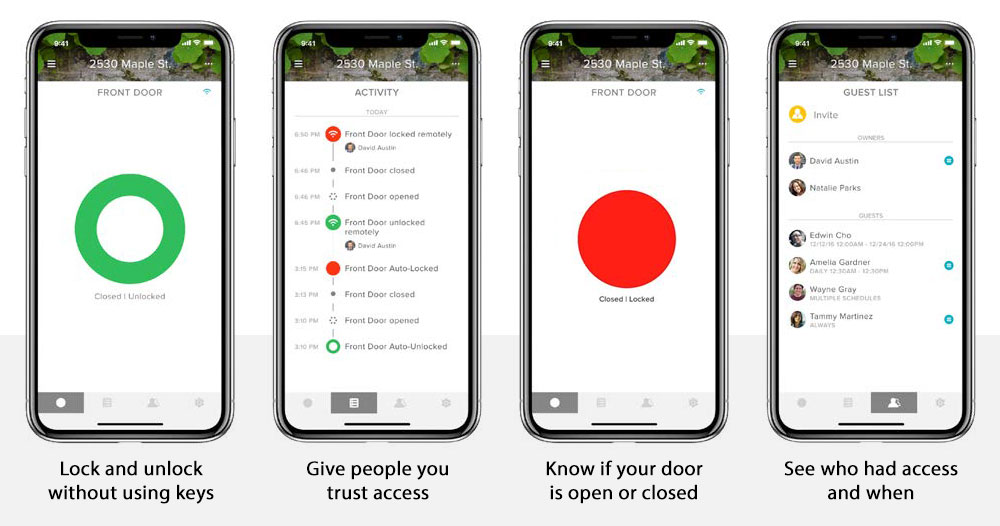
The Yale Access mobile app gives you total control over your compatible Yale lock. From your mobile device, the Yale Access app enables you to remotely lock/unlock your door, enable Auto-Lock and Auto-Unlock when you are near the lock, create and share passcodes with others, and keep track of the lock's activity through saved records and real-time alerts. The app utilizes your mobile device's Bluetooth and Wi-Fi transmitters to provide remote access features to your Yale lock, including integration into home automation systems and smart scenes, and enabling voice control compatibility with Alexa and Google Assistant. Bluetooth only Yale Locks without a Yale Smart Module or the Yale Connect Wi-Fi Bridge can only be controlled by the Yale Access app when your mobile device is within Bluetooth range.
Installation Details
The Linxura Smart Controller can be left on tabletops, counters, or night stands like other remote controllers. The Linxura Smart Controller Wall Mount can be fixed to a wall using either 3M tape for drill-free installation and optional relocation or screwed in with included hardware for a more permanent mounting option. The Linxura can still be used while wall mounted, acting like any other switch or smart home controller.
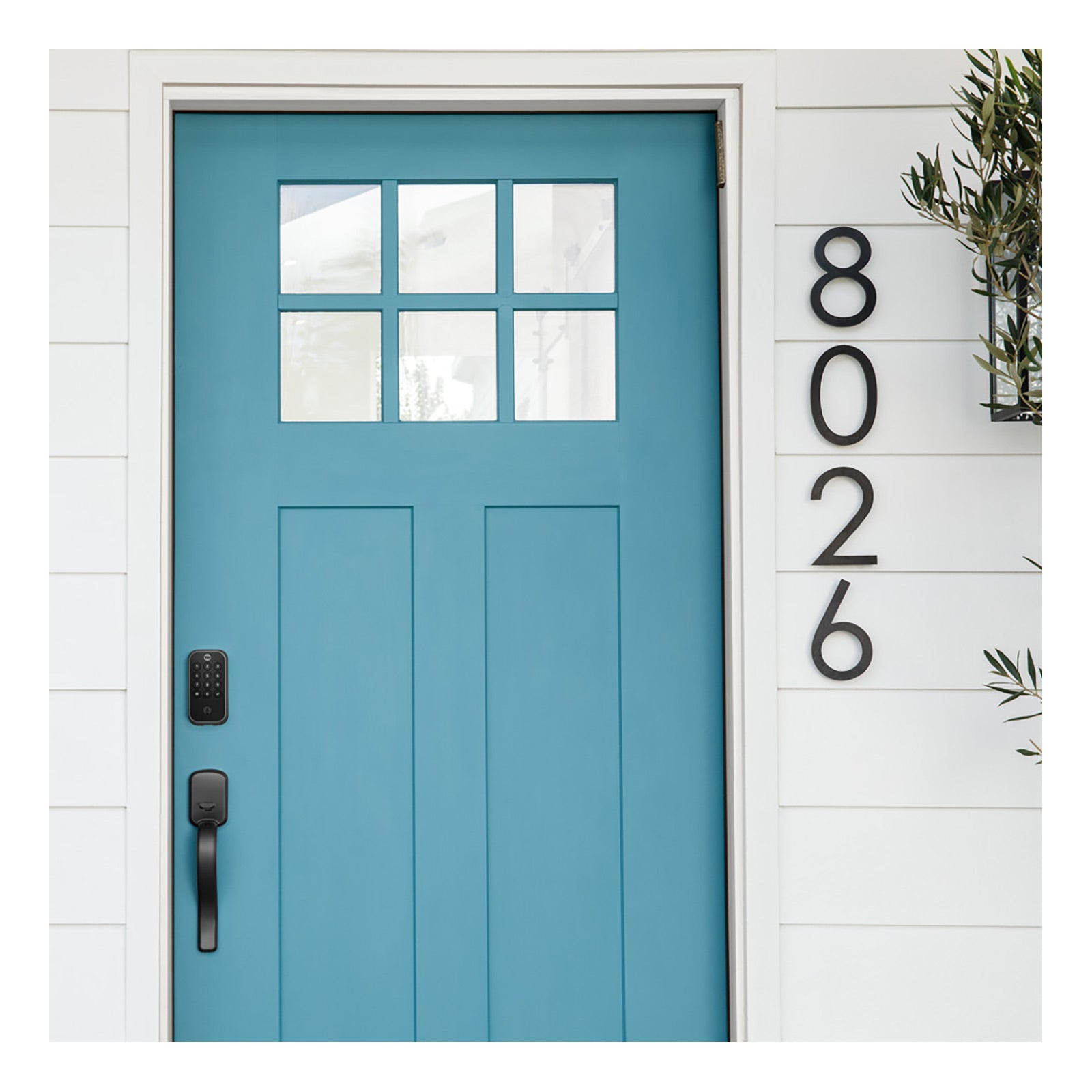
The Pro Lock 2 installs on most standard entryway hinge and pivot doors in the US and Canada measuring 1-3/8 to 2-1/4 inches thick. The lock is suitable for both left or right handed doors. All the necessary hardware is included, along with a template for door preparation and detailed instructions.
- Installs on a standard door 1-3/8 to 2-1/4" thick
- Adjustable latch fits existing backset of either 2-3/8" or 2-3/4"
- Suitable for right-handed or left-handed operation
The Pro 2 Lock is powered by four (4) AA batteries, which are included and should last for up to 9 months. When the battery is low, or wrong codes are entered, or the lock is tampered with, an alert is triggered. In the event that the batteries die, the lock can still be accessed with a turnkey and the interior thumbturn.
The small magnetic DoorSense Sensor mounts onto or within your door frame to report to the Yale Access app whether your door is open or closed and if the Yale Pro 2 Lock is engaged or unlocked.
The Yale Connect Wi-Fi Bridge plugs into a power outlet near your Yale Lock and connects to your home Wi-Fi network. The Yale Connect Wi-Fi Bridge should be installed within 30 feet of your Yale Smart Lock; within 15 feet is recommended for optimal performance and reliability.
Contents
- Linxura Smart Controller
- Linxura Smart Controller Wall Mount
- Yale Pro 2 Exterior Pushbutton Keypad and Deadbolt, Keyed
- Yale Pro 2 Interior Lock
- Yale Connect Wi-Fi Bridge
- DoorSense Sensor
- Deadbolt and Strike Plate
- Mounting Hardware
- (4) AA Batteries
- Door Template
- Turnkey
- Installation Manual
Notes
- Wi-Fi network required for operation.
- Check any existing Wi-Fi compatible smart hub interface to determine if the Linxura Smart Controller is compatible with the network.
- Bluetooth compatible devices must be within Bluetooth proximity range in order to control.
- The Yale Connect Wi-Fi Bridge performs optimally when plugged in within 15 feet of the desired Yale Bluetooth lock.
- Multiple Bluetooth locks may be connected to a single Connect Wi-Fi Bridge at a time, but better connection is experienced when one Yale Lock is connected to one Yale Connect Wi-Fi Bridge.
- Remote access requires a smartphone or mobile device with the Yale Access app for iOS and Android.
Everything Smart yet Totally Simple with Linxura
Linxura is a smart home automation company dedicated to bringing the benefits of smart home automation to everyone. They are committed to creating innovative products that are affordable, easy to control, and simple to automate your home the way you envision. Their goal is to create all-in-one solutions within the smart home ecosystem that streamlines the process and makes it easier for people to manage their smart home environments without worrying about manufacturer compatibility or jumping between various mobile applications or physical controllers.
Yale: Simpler & More Secure
Yale focuses on making home security simple, secure, and easily accessible for any consumer. They are committed to designing products and services that allow anyone to monitor and manage entry into the home from wherever they are, while keeping intruders out. They've created a thoughtful system of products and services that are easy to use, aesthetically stylish, and completely reliable. Yale products make life simpler and more secure.