Speco NSL Series NVR (N4NSL/N8NSL) — Quick User Guide
Quick user guide for the Speco NSL Series Network Video Recorders (N4NSL, N8NSL) covering OSD menu navigation, playback/search, video export, and mobile/multi-client viewing.
Full text manual (for reference)
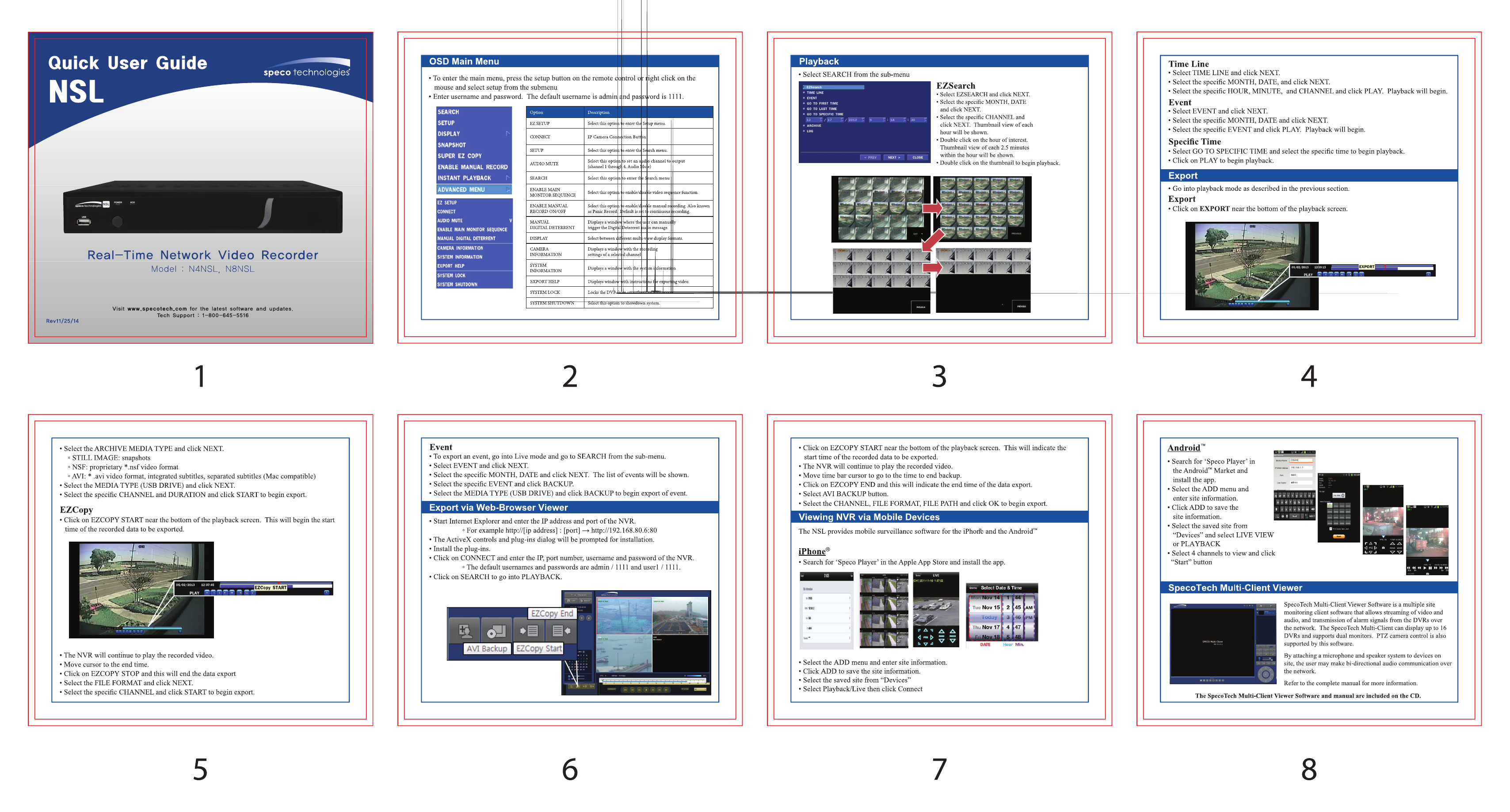
Quick user guide for the Speco Technologies NSL Series Real-Time Network Video Recorders (models N4NSL and N8NSL). The original document is a compact 8-panel reference sheet covering menu navigation, playback/search, video export, and mobile viewing setup. This page summarizes each section; the embedded reference image below shows the full illustrated sheet exactly as printed.
OSD Main Menu
Access the main menu via the front-panel Setup button or by right-clicking with the connected mouse. Default login is username admin, password 1111. The main menu includes: Search, Setup, Display, Connect, and Advanced Menu, each covering different aspects of recorder configuration and playback.
Playback — EZSearch
EZSearch provides a thumbnail-grid view of recorded video for fast visual browsing. Select a time range and camera, then use the thumbnail grid to jump directly to relevant footage.
Playback Search Methods & Export
- Time Line — scrub a continuous timeline of recorded footage
- Event — search recorded clips by triggered event (motion, alarm, etc.)
- Specific Time — jump directly to a chosen date/time
From the playback screen, use the Export button to save footage to external media.
Archive / EZCopy Export
Choose an archive media format: Still Image, NSF, or AVI. EZCopy walks through selecting a start/end point on the playback screen and exporting an AVI backup directly to USB media.
Event Export & Web Browser Viewer
Events can also be exported directly from the Search menu. To view the NVR remotely via a web browser, enter the recorder's IP address and configured port into your browser's address bar.
Mobile Device Viewing
iPhone: Install the "Speco Player" app from the App Store, add your site (NVR IP/credentials), then select a playback date to browse recorded footage.
Android: Install the "Speco Player" app from Google Play and follow the same add-site and playback steps as iOS.
Multi-Client Viewer Software
SpecoTech's Multi-Client Viewer software supports multi-site monitoring across up to 16 DVRs/NVRs simultaneously, with PTZ camera control and two-way audio communication from a single desktop interface.
Full Reference Sheet