
Jasco PRO Series ZWN4108 — Plug-in Smart Switch User Manual
User manual for the Jasco PRO Series Z-Wave Plug-in Smart Switch (ZWN4108 / item 76724), including diagrams for setup and Z-Wave network programming.
Full text manual (for reference)
Overview
The Jasco PRO Series Z-Wave Plug-in Smart Switch (Model ZWN4108 / item 76724) is a Z-Wave certified wireless outlet control accessory. It plugs into any standard wall outlet and lets you turn a connected lamp or small appliance on/off manually, remotely via a Z-Wave controller, or through simple button programming — no wiring required.
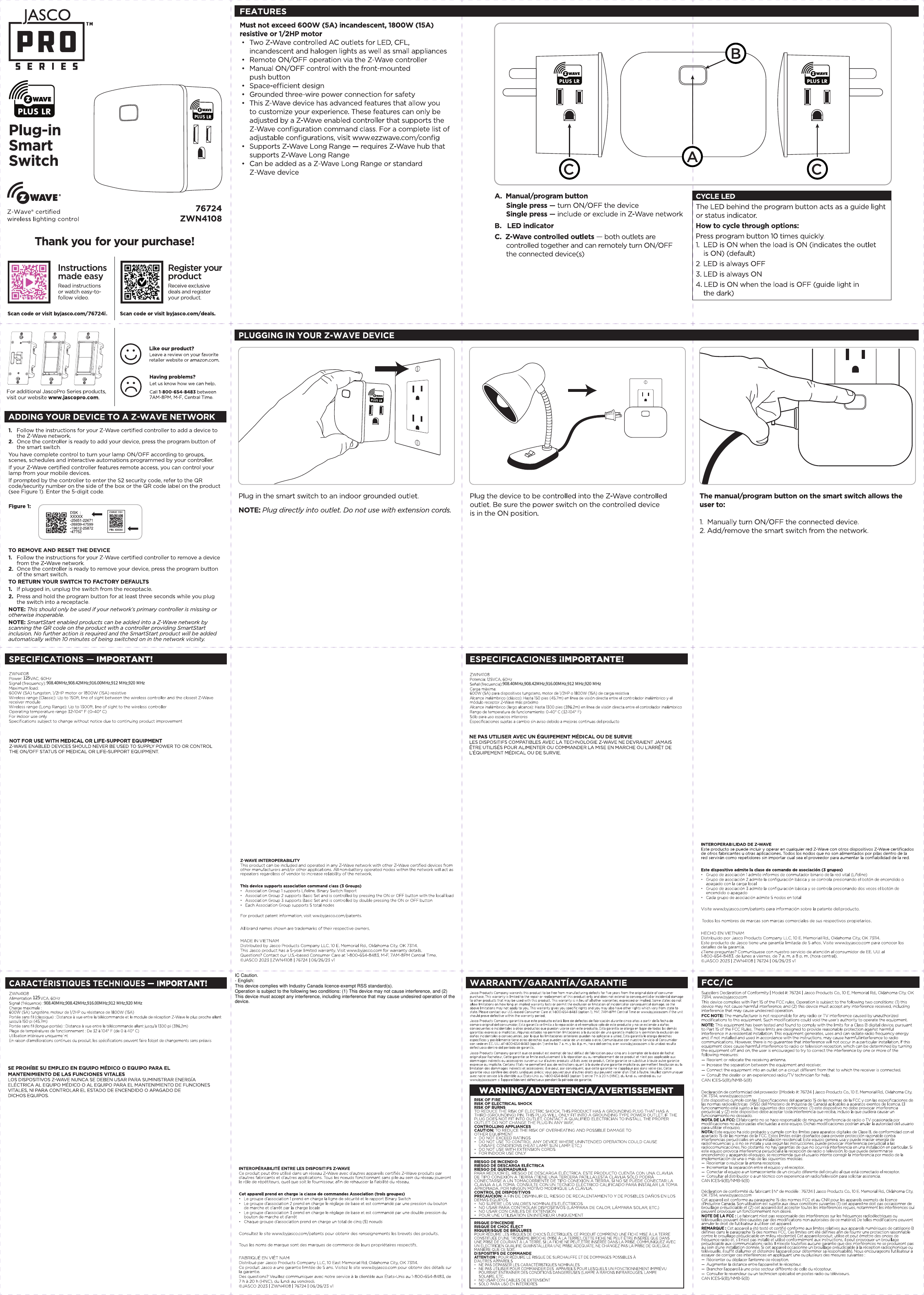
Device Components
- A. Manual/Program Button — press to manually toggle the controlled outlet on/off, or to add/remove the device from a Z-Wave network
- B. LED Indicator — cycles through several colors/patterns to indicate status (see LED cycle below)
- C. Z-Wave Controlled Outlet(s) — plug your lamp or appliance in here for remote/automated control
Basic Setup
- Plug the Smart Switch directly into a standard wall outlet.
- Plug the lamp or small appliance you want to control into the switch's controlled outlet.
- Press the manual/program button to turn the connected device on or off by hand at any time.
Adding to a Z-Wave Network
- Follow the instructions for your Z-Wave certified controller to begin adding a device to the network.
- Once the controller is ready to add the device, press the manual/program button on the Smart Switch to include it in the network.
- The LED will flash to confirm successful programming.
To remove or reset the device, follow your controller's remove-device procedure, then press the manual/program button on the switch when prompted.
Features
- Z-Wave certified wireless lighting/appliance control — no hub-specific wiring required
- Manual control via the front button at any time, independent of the Z-Wave network
- Works with any Z-Wave certified controller/gateway
- LED status indicator for at-a-glance operating status and programming confirmation
Important Restrictions
- For indoor use only
- Not for use with medical or life support equipment
- Z-Wave enabled devices should never be used to supply power to, or control the on/off status of, medical and/or life support equipment
Regulatory / Compliance
FCC ID: U2ZZW3008-series compliant device family; complies with Industry Canada license-exempt RSS standard(s). This device may not cause harmful interference and must accept any interference received, including interference that may cause undesired operation. Tested to comply with FCC Part 15 Class B limits for residential installations.
Specifications
| Model | ZWN4108 (item 76724) |
| Power | 120 VAC, 60Hz |
| Signal frequency | 908.40/908.42/912/916.00/920 MHz |
| Use | Indoor use only |
Warranty
Jasco Products warrants this product to be free from manufacturing defects for two years from the original date of consumer purchase, limited to repair or replacement. Contact Customer Service at 800-654-8483 (option 1), Monday–Friday 7AM–8PM CST, or via www.byjasco.com.