
ABB-Welcome IP Outdoor Station (H8138 Series) — Installation Diagrams & Module Guide
Quick reference installation diagrams for the ABB-Welcome IP Outdoor Station door entry system (H8138 series), covering mounting methods, dimensions, and module combination rules.
Full text manual (for reference)
Quick reference installation guide for the ABB-Welcome IP Outdoor Station (H8138, H8538.M-S, H8138.DP series, and compatible 5138/4138 modules) — a video/audio door entry outdoor station. This manual is highly diagrammatic; the images below and the full downloadable PDF cover mounting dimensions and module combination rules in detail.
Installation Overview
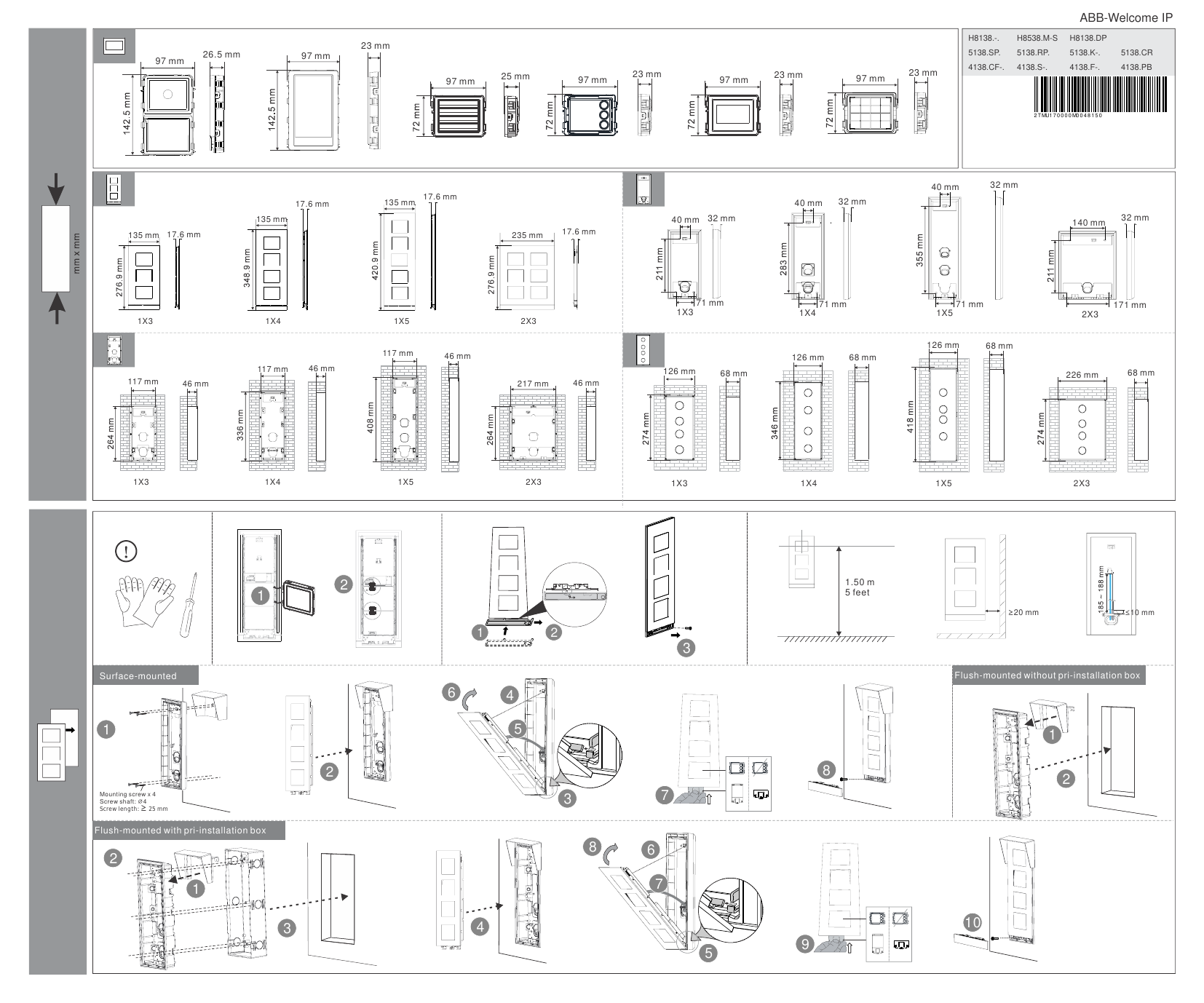
The ABB-Welcome IP Outdoor Station supports multiple mounting methods and module configurations. Full illustrated dimensions and step-by-step sequences are in the downloadable PDF. High-level mounting options include:
- Surface-mounted — direct wall mount using 4 mounting screws (shaft ø4mm, length ≥25mm)
- Flush-mounted without pre-installation box — recessed into the wall, mounting height reference 1.50m (5 feet)
- Flush-mounted with pre-installation box — uses a dedicated back box before mounting the station
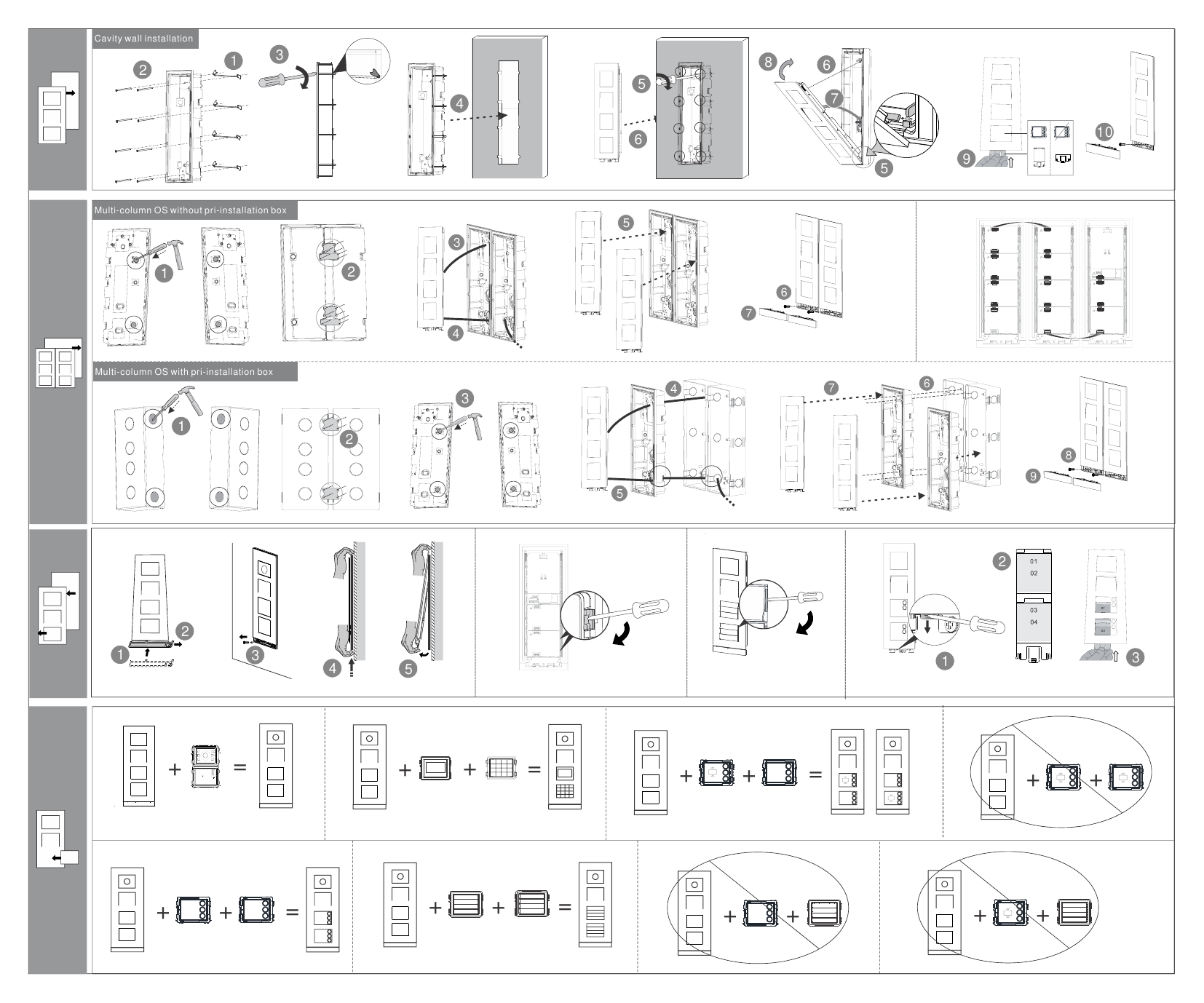
- Cavity wall installation — for hollow/drywall construction
- Multi-column outdoor station assembly — joining multiple vertical columns together, with or without pre-installation boxes, for larger multi-tenant or multi-module configurations
Module Dimension Reference
Module sizes vary by configuration (1×3, 1×4, 1×5, 2×3 column arrangements), covering audio modules, video/camera modules, keypad modules, and nameplate modules — approximate module widths run 97mm with depths of 23-26.5mm depending on module type. See the full PDF for exact dimension tables per configuration.
Installation Reference Diagrams
Module Combinations
The manual includes visual combination diagrams showing which modules (camera, keypad, additional buttons, nameplate) can be combined into a single outdoor station column, and which combinations are explicitly prohibited (marked with a crossed-out circle in the diagrams above). Always confirm module compatibility against the diagrams before ordering or assembling a multi-module station.
Note
This is a technical installer's reference sheet — it relies primarily on dimensioned diagrams rather than prose instructions. It is best used alongside the full ABB-Welcome IP system documentation for wiring, programming, and IP network configuration.